Our small business snapshot: a follow-up system that stops losing leads
You send the proposal. The prospect replies, "Let me discuss it with my partner." You say, "Of course, take your time." And then what?
Who chases that two weeks later? You, in your head, at midnight, wondering whether to text again or leave it.
That is a made up scene, but it is the exact moment most Pakistani freelancers and agency owners lose a sale. Not because the offer was wrong. Because nobody owned the follow-up.
So we built a system for it, and we gave it to our Mastermind Pakistan members.
It is called the Small Business Snapshot. It is a ready made GoHighLevel snapshot that loads a working CRM into your account: a pipeline, a funnel, a booking calendar, ten automations, lead scoring and an evergreen follow-up campaign. You fill in your own business details and your own offer, and the machine handles the boring part of sales.
If you are a member, request access to the Small Business Snapshot here. Use the same details you joined the community with.
Before you load it, let me show you what is actually inside, and how I would put it to work.
Why a follow-up system beats another tutorial
You already know you should follow up. Everyone does. The problem is not knowledge. The problem is that follow-up has a hundred tiny decisions, and each one is easy to forget.
Did this lead reply? Which stage are they in? Do they get the email today or next week? Did the reminder go out before the call? Did anyone notice the no-show? Where does the "not now" person go so they are not lost forever?
A spreadsheet does not answer these. Your memory does not answer these reliably. A system does.
The snapshot is built so that every lead enters one place, moves through one pipeline, and triggers the right message at the right time, on its own. You still decide your offer and you still talk to people. The snapshot just makes sure nothing falls through a crack.
What is inside the snapshot
Here is the honest inventory, not marketing fluff. The snapshot is niche neutral, which means the copy is written so you replace it with your own words. There are no brand names, no prices and no personal names baked in anywhere.
One pipeline you can actually read
A single pipeline called Sales Pipeline, with nine stages in this order: New Lead, Contacted, Replied, Call Booked, Showed, Proposal Sent, Won, Not Now and Lost.
Nine stages sounds like a lot, but each one answers a real question. Did we reach them? Did they answer? Did they show up? Did we send the proposal? Did they buy, are they gone, or are they simply not ready yet?
When every lead sits in one of those stages, you can glance at the board and know exactly what to do next, without opening a spreadsheet or asking the team "so what happened with that guy?"
One form, one calendar, one funnel
The snapshot keeps it to one of each thing, on purpose. One lead form. One strategy call calendar. One three page funnel: an offer page, a booking page and a thank you page.
This matters more than it sounds. When you have one funnel and one form, every lead arrives through the same door. When you have three half built funnels, you have three doors and no idea which one is actually working.
The form is simple: full name, business name, email, phone and their main problem. The button says "Book my call", and submitting it sends the person straight to the booking page.
The calendar is a thirty minute strategy call with a fifteen minute buffer, bookable up to fourteen days ahead. Its own notifications are switched off, because the workflows send the confirmations and reminders instead. That way nobody gets double messages.
Ten automations plus one helper
This is the part that does the work. Eleven workflows in total. Ten automations, plus one helper for leads you add by hand from cold outreach.
The flow looks like this, step by step:
- A lead submits the form. They get tagged, scored, added to the pipeline, and sent the first reply straight away, by email and by SMS. The owner gets notified. If they do not book within a day, follow-up starts.
- Follow-up runs on days one, two, four and seven, and stops the moment the lead replies or books.
- When the lead replies, the conversation moves to Replied, the follow-up stops, and the owner gets nudged to answer a real human question with a real human reply.
- When they book, the system confirms, and sends reminders twenty four hours and one hour before the call.
- If they no-show, they get a rebooking message, and a second nudge two days later.
- If you miss a call, they get a text back with the booking link, and you get a task to call them today.
- When they win, they get a welcome email, and a referral ask fourteen days later.
- When they say "not now", they go into a gentle monthly check-in instead of being pestered.
Every SMS step also has an email step, because most members will not have SMS approved on day one. You launch on email and calls first, then switch SMS on once your number is registered.
Lead scoring that tells you who to call first
Most people think scoring is complicated. Here it is in plain numbers.
The snapshot keeps a single score on every lead, and it moves based on what the lead actually does. Filling the form adds ten. Clicking the booking link adds five. Replying on any channel adds fifteen. Booking a call adds twenty five. Showing up to the call adds thirty. Missing the call takes ten away. Unsubscribing or losing the deal resets it to zero.
Then the score is sorted into three bands. Below twenty is cold. Twenty to forty nine is warm. Fifty or more is hot.
The useful part is what happens at fifty. The moment a lead crosses into hot, the owner gets an email and an app alert with the lead's name, phone and score, plus a task that says "Call today". A smart list called Hot Leads keeps them all in one place, sorted by last activity.
So you stop asking "who should I call today?" The system already hands you the answer. And because it is one alert per lead, not one every time the score twitches, it stays useful instead of becoming noise.
An evergreen campaign that never forgets the "not now" people
The leads who are not ready are usually where the money hides, and they are also the ones most businesses forget.
The snapshot has a twelve email evergreen campaign. One email every week, sent Tuesday morning in the lead's time zone. Teaching, then a common mistake, then a proof story, then an FAQ, then a direct offer, and it loops back around. Every email ends with the booking link. Every email is under a hundred and fifty words. Email only, no SMS, so it stays welcome instead of becoming spam.
The moment a lead replies, books, wins, loses or unsubscribes, they leave the campaign automatically. Nobody gets trapped being emailed forever.
A dashboard with five numbers that matter
At the end, the snapshot gives you one dashboard called Business System, with five widgets, each showing a seven day and thirty day view:
- New leads
- Hot leads
- Calls booked
- Show rate
- Deals won
That is it. Not forty vanity metrics. The five numbers that tell you whether the machine is actually working.
The honest part: a snapshot is not your offer
I want to be clear about what this is and what it is not.
The snapshot gives you a working system. It does not write your offer for you, and it does not magically know your business. The copy is deliberately generic, so the first job is to make it yours.
You fill in a set of custom values. Your business name, your name, your niche, a one line offer, the result you promise, your setup fee, your monthly price, your booking link, your email, your phone, your logo and your brand colour. Change those once, and they update across the funnel and the emails.
If your offer is vague, the snapshot will carry that vague offer to every lead, on schedule. That is not a bug. It is a mirror. Fix the offer first, then let the system deliver it.
A freelancer should start with one clear service and one clear next step, not every skill on their profile. An agency should pick one existing service and fix how its enquiries are handled before adding a second one. Those are my suggestions, not rules about what your business can eventually become.
What a snapshot does not include, and how the videos cover it
A snapshot is a copy of an account's structure. It does not carry phone numbers, domains, email sending setup, connected calendars or users. You connect those yourself.
That is why the snapshot ships with six short setup videos, one per step:
- Log in and confirm the snapshot loaded
- Fill in your custom values
- Connect your domain to the funnel
- Connect your business email, including the sending domain and DNS records
- Buy your phone number and switch on missed call text back
- Connect your calendar, set your hours, and run the seven tests
Each video is under five minutes. Watch them in order, and by the end you have a working account rather than a collection of assets you do not understand.
How I would put it to work first
Do not make your first test a real prospect.
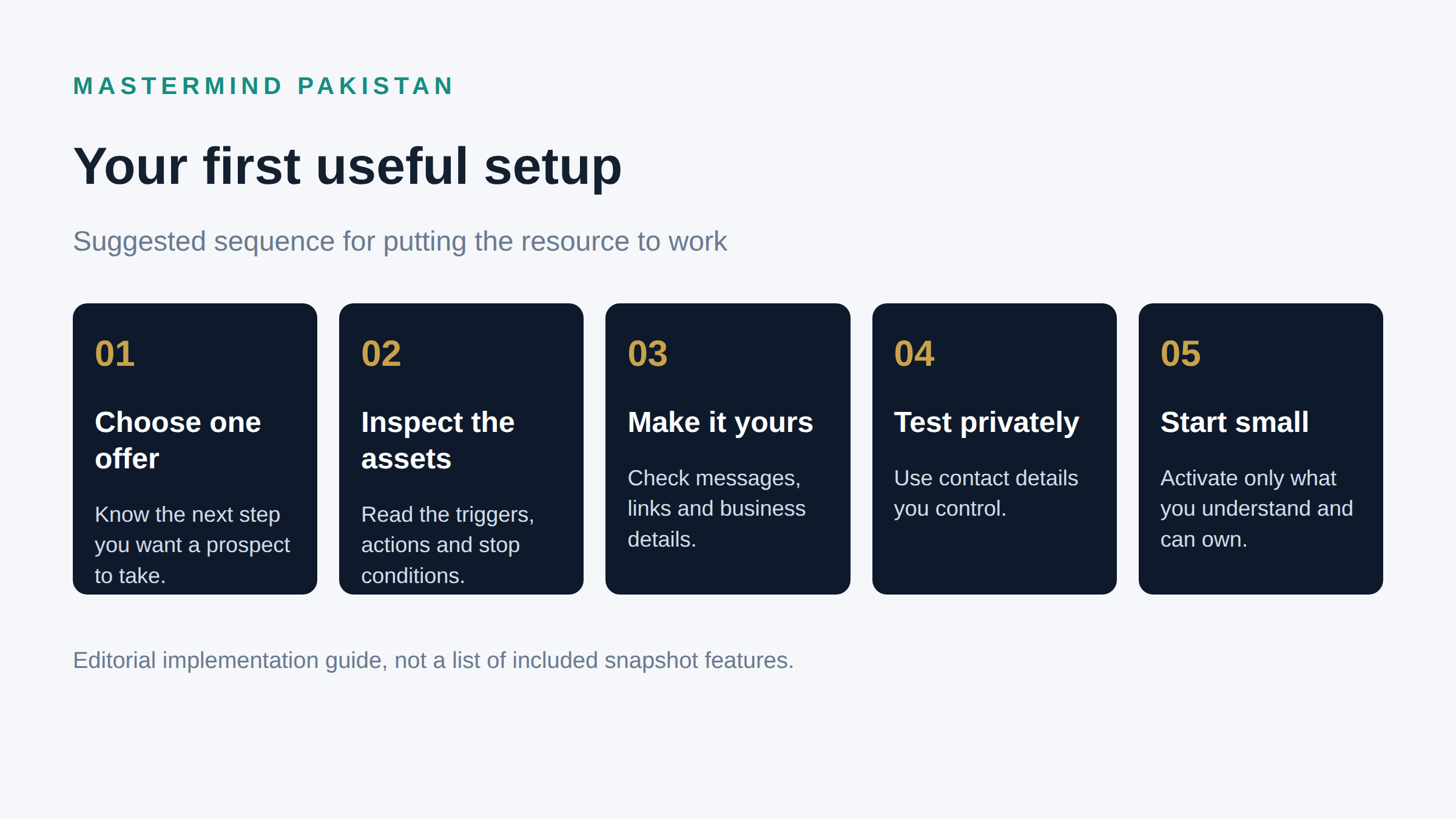
Suggested sequence for putting the snapshot to work, in five steps.
My sequence is simple. Choose one offer. Inspect the assets you imported. Make it yours. Test privately. Start small.
For the private tests, I would run a handful of scenarios with contact details you control, and watch each one all the way through:
- A new enquiry arrives and never responds. Does the follow-up follow the schedule you approved?
- A prospect replies before the next scheduled message. Does the follow-up stop, and does a human see the answer?
- A prospect books, then reschedules. Are the reminders still correct?
- A meeting is marked no-show. Does the rebooking path run without treating an attended meeting as missed?
- Someone asks not to be contacted. Does the messaging stop?
Write down what actually happened, not what you expected. If something fails, keep that one automation switched off while you fix it. A system you half trust is worse than a spreadsheet, because you will assume it is doing a job it is not doing.
If you plan to use this for client work
"I imported a snapshot" is a technical action. It is not a promise.
If you are going to build this kind of system for a client, be clear about scope. Say which process you configured, what you tested, and what still sits with their team. If the work covers follow-up for one enquiry source, say so. If it does not include advertising or sales calls, say that too.
And please do not promise a conversion rate because a workflow exists. Your offer, the quality of the leads and the actual sales conversation still matter. The useful evidence is what happens to enquiries after your setup has been tested and put into real use.
Request the snapshot, then give it a job
This giveaway is for our Mastermind Pakistan community members. If you are a member, open the Small Business Snapshot access page and complete the request form with the details you used to join.
If you are not a member, read the membership information on the site rather than assuming this is an unrestricted public download.
Once you receive it, pick one offer and test one enquiry end to end. That is a far better first afternoon than importing everything, switching it all on and hoping the account looks after itself.
Frequently asked questions
Is the Small Business Snapshot free for everyone?
We gave it to our Mastermind Pakistan community members. The access page asks members to request it with their joining details. It is not an open public download.
Does it include a finished funnel and copy for my business?
It includes the structure, not your words. The funnel pages and messages use neutral placeholders you are meant to replace. Your offer and your copy are your job, and that is on purpose.
What do I need to connect myself?
Your domain, your sending email, your phone number and your calendar. The snapshot does not carry those, because they are tied to your account. The setup videos walk through each one.
Will it send SMS on day one?
Usually not. US numbers need carrier registration before SMS delivers, so the safe path is to launch on email and calls, then switch SMS on once your number is approved. Every SMS step has an email backup for exactly this reason.
Do I need to know GoHighLevel already?
You need a GoHighLevel account to load a snapshot into. The six setup videos assume you are new, and they cover the basics in order. You do not need to be a builder to use it, but you should read what you are switching on.
Can I use it for a client's business?
Confirm the usage terms first. If permitted, adapt the setup to that client's process and test it before launch. Their team still needs clear responsibility for replies and follow-up.
Does it guarantee more sales?
No. A configured system helps you organise and test your follow-up. It cannot make prospects buy, and it does not replace a relevant offer and a useful conversation. What it does is stop the silent leaks, so the leads you already have get an actual answer.
